Adobe Photoshop Rotate Object: A 3D Revolution for 2D Design
Discover how the new Photoshop Rotate Object feature uses Gaussian splatting to transform flat 2D layers into manipulatable 3D objects.
By Rollan Bañez · July 2, 2026 · 6 min read
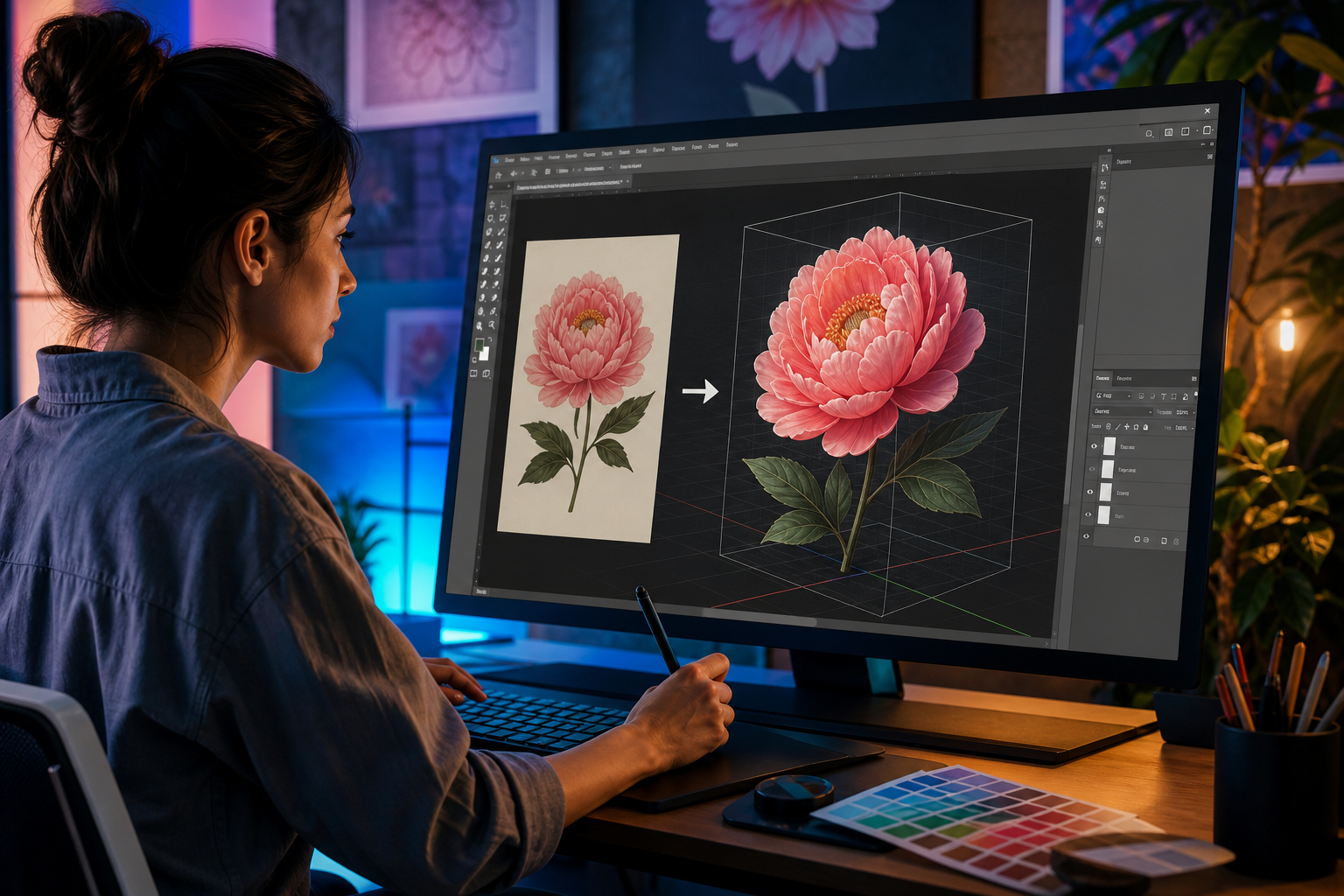
The boundary between 2D and 3D design is officially dissolving. Adobe has introduced the Adobe Photoshop Rotate Object feature in its latest Public Beta, a tool that allows designers to treat flat layers as spatial entities. This isn't just a simple distortion tool; it represents a fundamental shift in how we handle perspective and depth within a digital canvas.
The Magic of Gaussian Splatting in Photoshop
At the heart of this feature is a sophisticated technology known as Gaussian Splatting. While traditional 3D models rely on complex polygonal meshes, Gaussian splatting uses point-based volumetric data to approximate shape, color, and transparency. This allows Photoshop to 'imagine' the hidden sides of a 2D object.
When you select a 2D layer and trigger the conversion, Adobe’s AI analyzes the texture and silhouette of the object. It then generates a 3D representation that can be tilted, pitched, and yawed. This breakthrough means you no longer need to spend hours searching for the 'perfect' stock photo angle; you can simply create it from the one you already have.
Mastering the On-Canvas Contextual Task Bar
Adobe has streamlined the user interface by integrating the Rotate Object controls directly into the Contextual Task Bar. This floating menu changes based on your selection, putting the power of spatial transformation right at your fingertips. You can access the following controls without digging through nested menus:
- Object Conversion: A single click transforms your 2D layer into a manipulatable 3D volume.
- Rotation Gizmo: An intuitive on-canvas handle that allows for precise XYZ axis rotation.
- Reset Perspective: Instantly snap the object back to its original 2D state if the transformation goes too far.
For those pursuing an Adobe Certified Professional credential, mastering these contextual tools is essential. They represent the modern, AI-augmented workflow that the industry now demands.
Seamless Lighting and Shadow Harmonization
One of the biggest hurdles in compositing is making a new element look like it belongs in the scene. The Rotate Object feature doesn't just move pixels; it works in tandem with Adobe’s lighting AI. As you rotate an object, the software attempts to recalculate how light hits the new surfaces.
This harmonization ensures that shadows and highlights remain consistent with the background layer. If you are a student or educator looking to refine these skills, checking out our latest design tutorials can help you integrate these advanced lighting techniques into your portfolio.
Designer Use Cases and the Philippine Creative Scene
In the Philippines, the creative industry is rapidly evolving into a global outsourcing and design hub. For local graphic designers, the Rotate Object feature is a game-changer for product mockups and social media assets. Instead of requesting a re-shoot or a new 3D render, a designer can adjust the angle of a packaging design in seconds.
Educators can also leverage this tool to teach spatial awareness and perspective more effectively. By incorporating these Beta features into the classroom, Filipino students can stay ahead of global competition. Creative Nation Academy is committed to supporting this growth through our registry of certified experts who lead the way in tech adoption.
Key Takeaways
- The Rotate Object feature is currently in Public Beta and uses AI-driven Gaussian Splatting.
- It allows designers to rotate 2D layers in 3D space with high realistic fidelity.
- Controls are centralized in the Contextual Task Bar for a faster, non-destructive workflow.
- The tool automatically assists with lighting and shadow harmonization within the scene.
- Mastery of these tools is a significant advantage for those seeking Adobe Certified Professional status.
The Future of Creatives in the Age of AI
As these tools move from Beta to the stable version of Photoshop, the definition of a '2D Designer' will continue to expand. The ability to manipulate depth without leaving your primary workspace increases efficiency and unlocks new creative possibilities. For the thriving creative community in the Philippines, staying updated on these Adobe innovations isn't just a choice—it's a career necessity.
Frequently asked questions
- Is the Rotate Object feature available in the standard version of Photoshop?
- No, it is currently in Public Beta. You must install the Beta version of Photoshop via the Creative Cloud Desktop app to access it.
- Does this feature create a real 3D mesh like Maya or Blender?
- No, it uses Gaussian splatting, which is a volumetric approximation. It is designed for visual manipulation within Photoshop rather than export to 3D printing or gaming engines.
- Can I use this feature on text layers?
- Yes, but you may need to convert the text to a smart object or rasterize it first to trigger the full 3D rotation capabilities.